
CASS OFFLINE REGISTRATION
WAEC DATABASE UPDATE INSTRUCTIONS
(For School/Centre Operators – 2026 Update)
Download Update File:
🔗 Download Zip File Here
🔗 Download Zip File Here
⚠ IMPORTANT BEFORE YOU START
- Close the CassOffline application completely
- Ensure no one else is using the system
- Save all work before proceeding
STEP 1 – Download the Update File
- Click the link above.
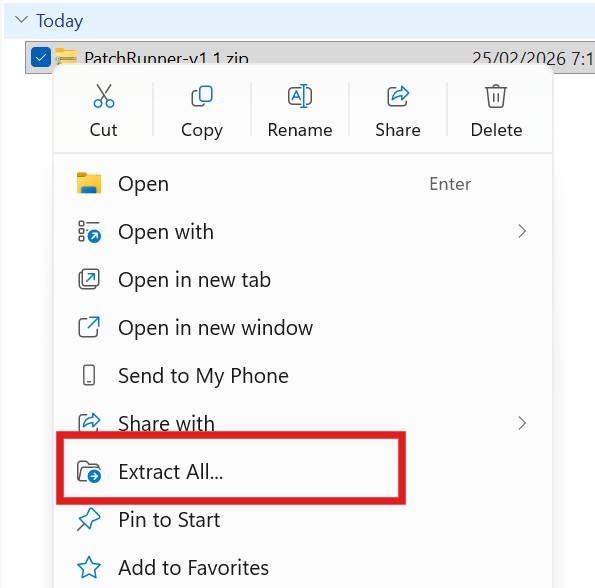
- Download the ZIP file as shown below:
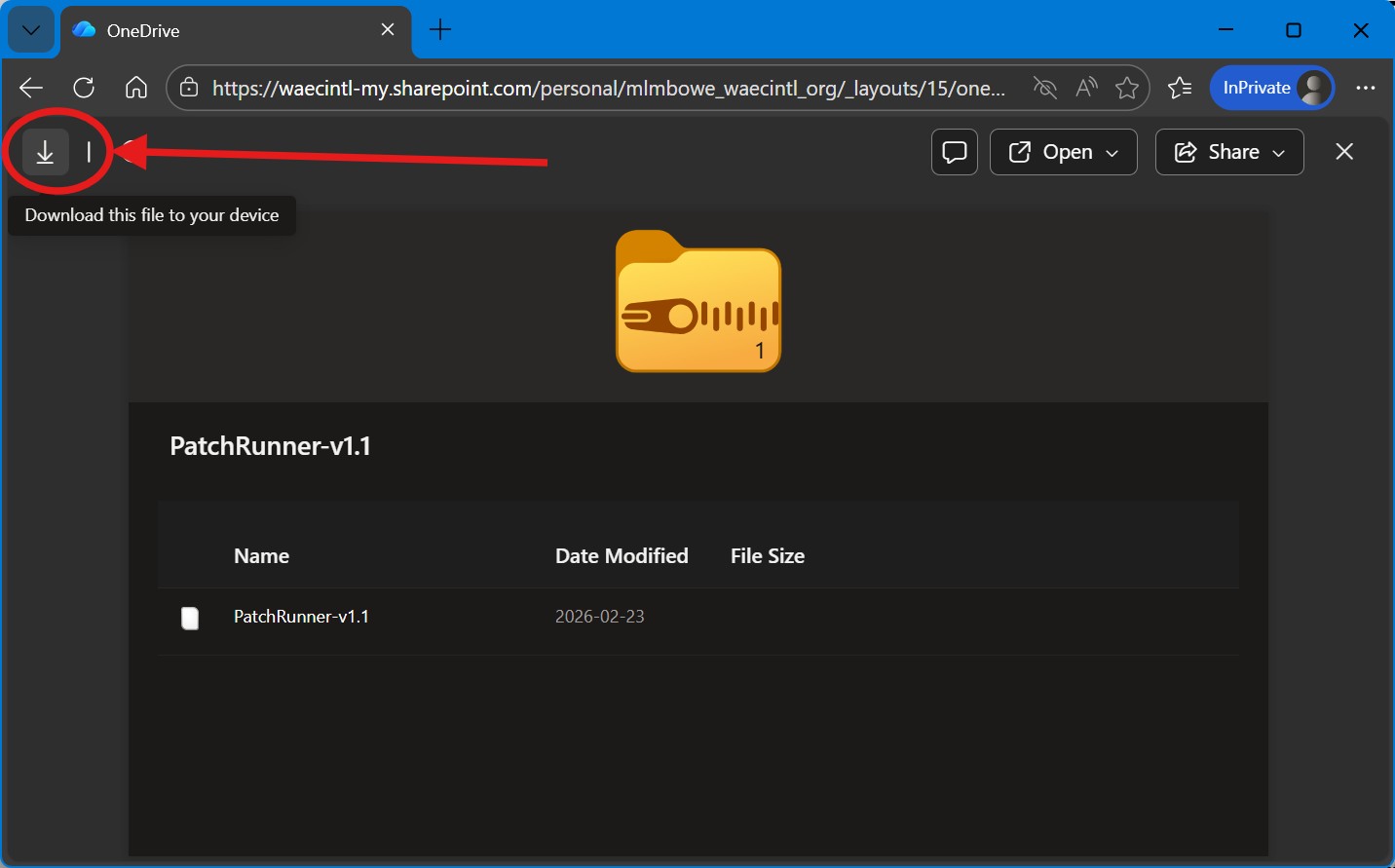
- Save it to a known location on your computer.
Illustration – Downloading the ZIP File
STEP 2 – Extract the ZIP File
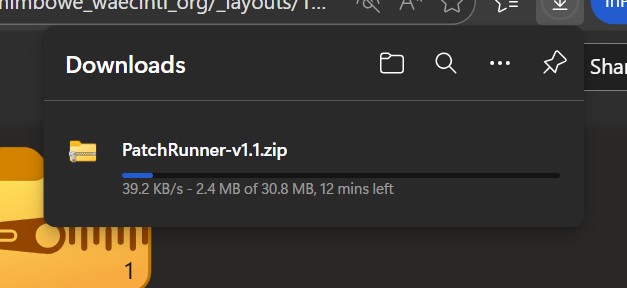
- Right-click the downloaded ZIP file.
- Select Extract All…
- Click Extract
A new folder named PatchRunner-v1.1 will appear.
Illustration – Extracting the ZIP
STEP 3 – Run the Update Tool
- Open the extracted folder.
- Double-click PatchRunner.exe
- A black window will open.
- Wait for the process to complete.
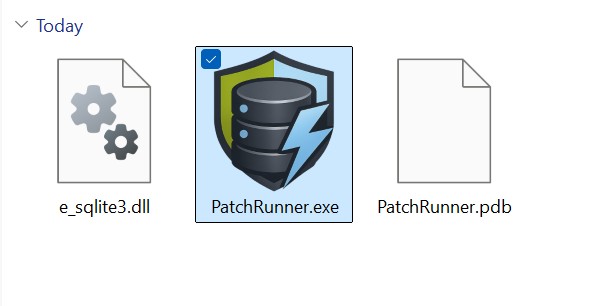
Illustration – Running PatchRunner
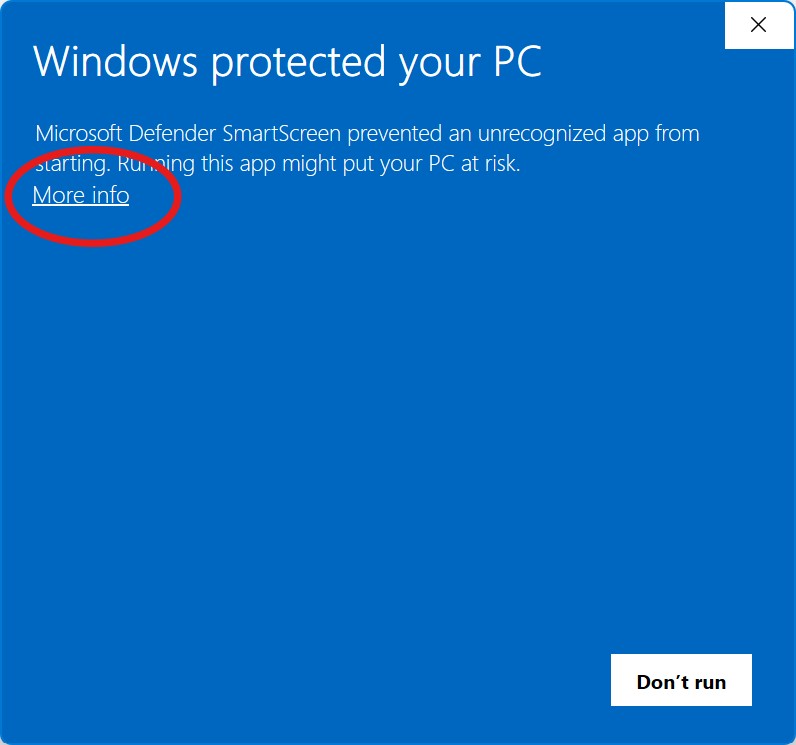
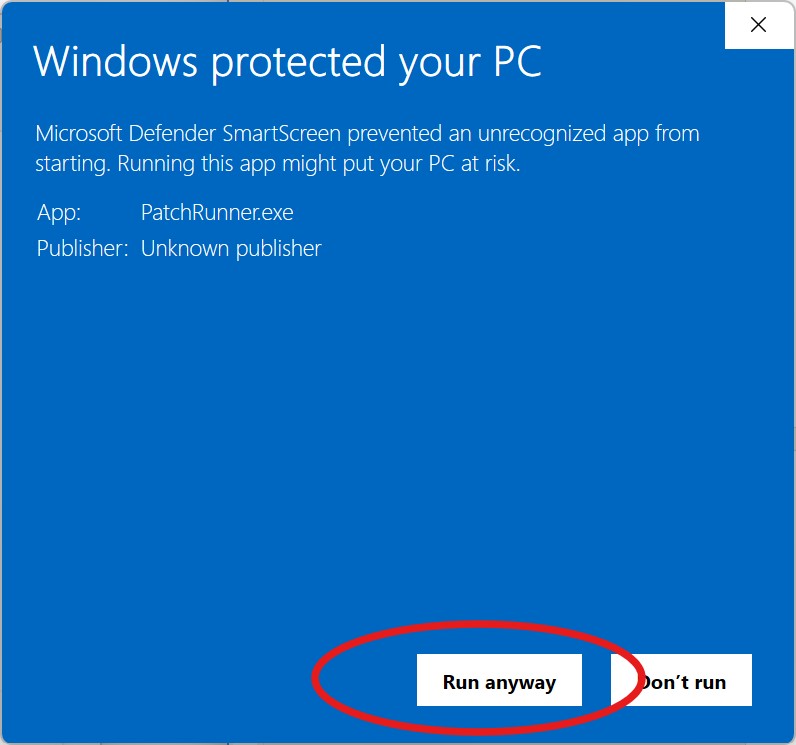
⏳ What the System Will Do Automatically
- ✔ Check your database
- ✔ Create a backup automatically
- ✔ Apply necessary updates
- ✔ Display a completion summary
When you see:
Press Enter to close…
Press Enter and continue with Year 3 promotion and upload.
You can now log in to the Cass system application and:
- Promote candidates from Year 2 to Year 3
- Enter Year 3 CASS marks
- Upload to WAEC
📁 Automatic Backup
A backup copy of your database is automatically saved in:
WCDATABACKUPS
No action is required from you.
🚫 If You See This Message
Database is locked/in use.
Close CassOffline completely and run the update tool again.
✅ Confirming the Update
- Open CassOffline.
- Confirm that the 2026 exam year is visible.
📞 If You Experience Any Issue
Locate the most recent file inside:
WCDataLogs
Send that file to ICT Support for assistance.
🔐 Important Reminders
- Always extract the ZIP file before running.
- Only download from the official WAEC link.
- Do not rename or modify the file.
- Ensure power supply is stable during update.
- Do not interrupt the update process.